Agentic engineering — 2026-06-18PUBLIC
The agentic-OS tool stack: the four layers and what to run in each
Most AI users own a pile of disconnected tools and a bottleneck: themselves. The fix is an agentic operating system built from four layers — Intelligence, Execution, Research, and Self. This field guide covers what to run in each, the real costs, the free path, the 30-day build, and the honest caveats.
≈ 25 min read
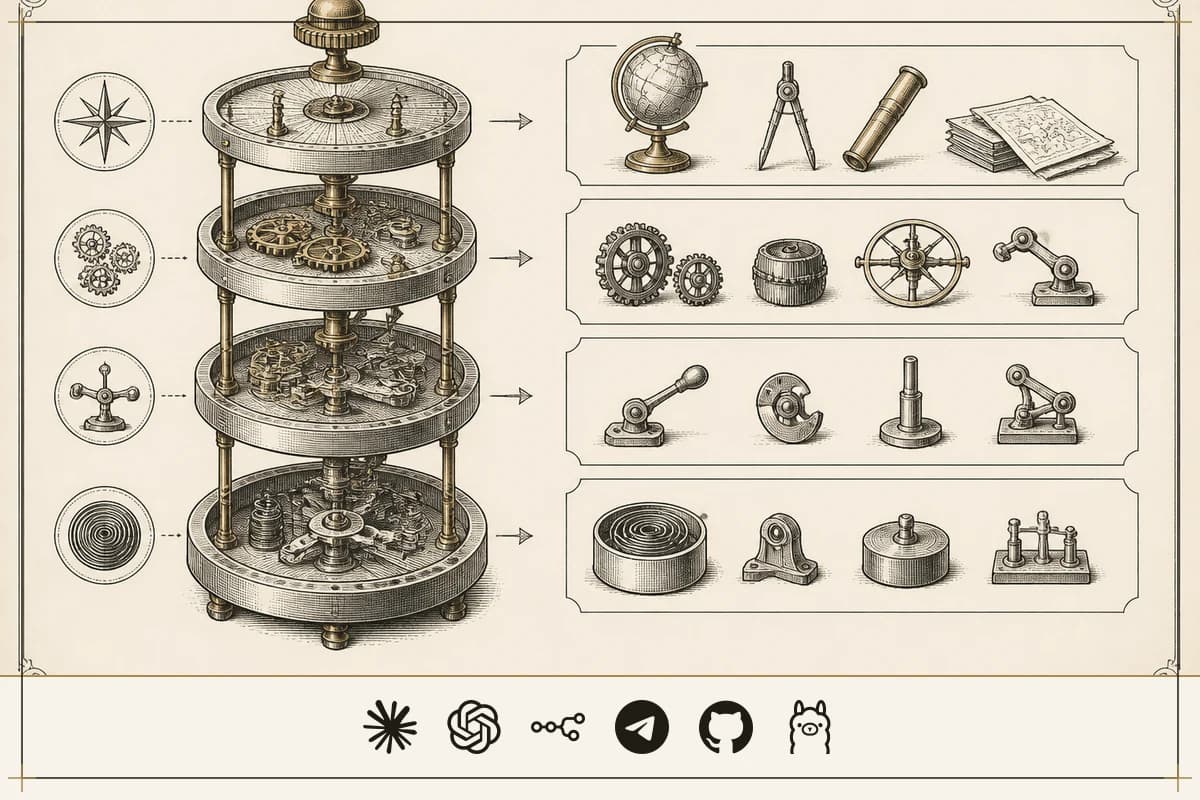
Open the laptop and count the damage. A ChatGPT Plus seat. A Claude Pro seat. A Midjourney habit you forgot to cancel. A Zapier account. And forty browser tabs you keep alive by hand, copy-pasting context from one into the next like a courier who never gets to set the package down. You've spent thousands on tools and made back nothing. That is the default state of building with AI in 2026 — expensive, context-starved chaos, and the overloaded part is you.
Here's the uncomfortable diagnosis: the model isn't your problem, and neither is the prompt. You are the bus. Every time you move data from the research tab to the writing tab to the automation tab, you are the coordination layer — and you are the bottleneck. A chat window open here, a browser agent running there, a research job spinning in a third tab, none of them sharing a goal, a memory, or a coordinate system.
The one idea worth keeping from every guru pitch on this cuts straight through that mess: the individual tool is a commodity; the stack is the product. You don't make money owning the best hammer. You make money owning the construction company. An "agentic operating system" is just the layer that does the courier job for you — a dashboard, a shared memory spine, and routing logic that hands work between agents. The value is in the wiring, not the parts. And the single piece of wiring almost nobody copies — the one that makes your system's output specific to your business on day one hundred, not just day one — is memory.
Two honesty flags govern everything below, because the field is thick with funnel. First: the creator who popularized this architecture also built and sells two of the tools it ranks first — the research engine (Hermes) and the execution gateway (OpenClaw) — so treat every "#1 best agent" verdict as a vendor pitch, not a neutral finding. Second: every income, click-count, and time-saved number here is creator-reported and unaudited. Use them as shape, never as fact. The architecture is the substance and it's genuinely good. The hype is everything wrapped around it.
CONTENTS
CH.01
What turns a pile of AI tools into an operating system?
An agentic OS is the coordination layer that sits between you and your individual agents, the way iOS sits between you and your phone's apps. iOS doesn't make the calls or write the messages; it gives every app a shared clipboard, shared contacts, one notification system, one identity. Strip that away and you have a "tab pile" — isolated apps with no shared anything, and a human running data between them.
Three components decide whether a thing has earned the name, and the failure modes map one-to-one onto the missing piece:
| Component | What it is | Miss it and… |
|---|---|---|
| Mission Control dashboard | One screen to view, pause, and redirect every agent | you're flying blind |
| Coordination layer | The logic that routes work between agents | you're back to a tab pile |
| Shared memory | A searchable store where every conversation, document, and decision is logged for all agents to read | your agents repeat themselves on every single run |
If a vendor sells you an "agentic OS" missing any of the three, it's mislabeled. That's the buying filter before you spend a cent.
CH.02
Why four layers instead of one giant model?
Hand one monolithic model the whole job — plan the strategy, click through a browser, research the competitor, remember the brand voice — and the context window bloats, the tool calls collide, and the system, in the creator's phrase, "gets dumber as the day goes on." Splitting the cognitive load across four specialized layers is what keeps each one sharp. The architecture maps onto how a real business is staffed, which is why it sticks:
| Layer | Role | Canonical tool | What it does |
|---|---|---|---|
| 1 — Intelligence | CEO | Claude Desktop + Claude Code | Plans, prioritizes, runs clarifying-question loops, writes the code that ships the system |
| 2 — Execution | COO | OpenClaw / Agent Zero | Routes work between agents, drives a real browser for clicks, logins, captchas |
| 3 — Research | Workhorse | Hermes | Long multi-step jobs that would melt one Claude session: Kanban workflows, scheduled skills, multi-source briefs |
| 4 — Self | Memory spine | Obsidian + OMI | Persistent business-specific context every agent reads on every prompt |
This doubles as a rule for buying: every tool you consider has to earn a seat in one of those four layers. If it doesn't map to a layer, it's a duplicate, and you skip it. The most quotable line in the whole corpus is the discipline behind that rule.
"The biggest mistake is collecting ten of these and using none."
CH.03
Layer 1 — Intelligence: which brain belongs in the CEO seat?
The Intelligence layer is the executive brain: reasoning, long-form writing, code architecture, strategy. It's the most expensive seat to run and should handle the least raw volume — don't pollute it with scraping or clicking, which belong a layer down.
The default occupant is Claude, and the reason is a checkable claim rather than a vibe. The creator ran the same dashboard for six weeks with four brains in this seat — Claude, GPT, Gemini, and a strong local model — graded on four concrete tasks that double as a good spec for any orchestrator:
- Hold a thread across 13-plus sub-steps of a competitor dossier without drifting.
- Make 47 tool calls across five workflows with only two redundant re-calls.
- Ship working code from a one-paragraph brief on the first try.
- Pull a detail seeded at token 1,000 of a 22,000-token window at the end of a long session.
Claude won all four. The non-obvious finding: Gemini missed more early-context details than GPT did despite the bigger context window — a useful reminder that a larger context number is not the same as using it. The local model, a Llama variant tuned for agentic use, failed the hard three (multi-step reasoning, tool reliability, long-context retention) and tended to truncate. Treat the win/loss record as reported testing, not an independent benchmark — but the conclusion is durable: for executive-grade reasoning, the orchestrator is a frontier cloud model.
| Brain | Cost | Strength | Skip it when |
|---|---|---|---|
| Claude | $20–$200/month | Long-context coherence — the one that doesn't lose the plot | The job is bulk and mechanical (500 SEO variants) — per-token cost beats nuance |
| GPT-5.5 / ChatGPT | Free tier; ~$20/month | Fast ideation, image gen via Image 2, the ecosystem default everyone has | You need long, unbabysat agentic runs — it lost the thread earlier and re-called tools more |
| Local — Llama / Qwen / DeepSeek / Gemma via Ollama | $0 marginal | Privacy-first, zero marginal cost, good for ~80% of tasks | The critical 20% — they fail at multi-step reasoning, tool reliability, long-context, and they truncate |
One quiet caveat on the local route: DeepSeek reportedly processes "internally in Chinese," which is both a subtle-bug risk and a data-residency question worth naming before you pipe client data through it. The call across this layer is hybrid, not loyal — orchestrator on a frontier cloud model, sub-agents on local. "Free and good enough beats paid and perfect when volume matters" is the right instinct, but only because the frontier model is still there for the finishing pass.
CH.04
Layer 2 — Execution: which agent should drive the browser?
The Execution layer is the hands. It drives a real Chromium browser to reach what APIs cannot: JavaScript-heavy sites, login portals, captchas, modals. Two tools contend for the seat, and the right answer is that you run both.
OpenClaw is the local gateway and browser actor — free and open-source, with paid managed options. It's the only way to interact with a live browser session, and it owns channel-based work: mature Telegram and Discord integration, inbound message handling, escalation rules out of the box. Its weakness is reliability — more prone to first-try failures, API issues, and gateway breaks during updates.
Agent Zero is the reliable generalist — also free and open-source. It prioritizes first-try success, handles parallel tasks with live updates, and survives software updates without breaking. Its weakness is the mirror image: shallow customization, no mature Telegram integration.
The synthesis is the most useful operating rule in the whole stack — a hybrid with an explicit switching threshold. Run Agent Zero for the bulk of general autonomous work to keep workflows stable; delegate OpenClaw to channel-based and complex browser tasks it alone handles. And the trigger is a measured failure rate, not a feeling:
Skip OpenClaw for quick, general automation where stability is the priority. Skip Agent Zero when you specifically need Telegram bots or deep plugin customization.
CH.05
Layer 3 — Research: what runs in the background while you sleep?
The Research layer is the engine that runs for hours while you're not watching — the difference between a chat surface, which gives you one exchange at a time, and a research engine, which runs without you.
Hermes is the hero tool here: an open-source autonomous research and orchestration agent, free to run but needing a model API key. The mechanism is the part to keep — it sits between Intelligence and Execution, takes a brief, decomposes it into discrete tasks on a native Kanban board, runs skills on a schedule, and posts results back to shared memory while you do something else. Hand it anything measured in hours rather than minutes.
The feature that makes it a stack component instead of a silo is MCP server mode. Flip it on with a config flag and a port number (hermes mcp enable) and any MCP-aware client — Claude Desktop, an IDE, OpenClaw — can call that Hermes instance directly as an engine. Without it, Hermes is "locked inside its own dashboard." With it, the whole stack can fire research jobs at it from any conversation. It also reads your Obsidian vault, so output is shaped by your strategy rather than generic. One genuine unification: by wiring Grok in via API, Hermes can fold X search, image, video, and text-to-speech into one interface — collapsing several media subscriptions into the research spine.
Skip Hermes if your work is purely conversational — single-turn questions and quick edits. It's built for jobs longer than one chat session; below that threshold it's overhead. And carry the conflict of interest the listicles never print: this is a tool the creator sells access to inside a paid community, so every post ranking it "best" is a vendor pitch. Weigh it against the open-source alternatives on its merits.
CH.06
Layer 4 — Self: the memory spine you must never skip
This is the whole argument. Without the Self layer, every agent in the stack produces what the corpus bluntly calls generic slop, because it has no idea who you are. With it, the system knows your file structures from Monday's build and the reasoning behind a decision you made six weeks ago.
Obsidian is the persistent memory spine — a free local markdown vault, typically named something like "Agent OS Memory." Two mechanisms fill it: the auto-save of every prompt and reply from every agent, and overnight transcript exports from OMI. The vault also holds your client brand voices, offer descriptions, customer avatars, and past content — the specifics that make output yours instead of anyone's. Every agent pulls personal context from that vault on every prompt. Setup is about 30 minutes; the configuration is a single instruction to the research layer: "Use my notes from the Obsidian vault for your memory, particularly from OMI. Vault path: [paste path]."
OMI is the optional wearable that feeds it — it records screen and mic through the day and exports transcripts to the vault overnight, so voice notes from client calls land in memory automatically. Skip OMI if you're a strictly text-based operator who never takes verbal notes. Never skip the vault itself. This is not prompt engineering; it's memory engineering, and it compounds. One operator described asking the system "based on my Obsidian vault, give me ideas on what I should automate today" and getting recommendations drawn from their own agency notes, community interactions, and current build work — not generic suggestions anyone could get.
The low-tech implementation is worth copying directly:
Security here is not optional, and this is where the advice earns its keep. The vault holds your most sensitive business intelligence, so keep it strictly local, exclude it from cloud backups, encrypt the disk (FileVault or LUKS), and if you back up with git, use git-crypt. A leaked memory vault is worse than a leaked password, because it's the context, not just the key.
CH.07
How do you wire the four layers into one machine?
This is where the architecture either becomes a system or collapses into disconnected silos. Two pieces are load-bearing.
The first is the Claude CLI bridge — a small Node process running locally. One side talks to the Mission Control dashboard UI; the other talks to Claude through the official CLI, handling streaming, authentication, and routing the resulting plans down to OpenClaw or Hermes. Without it, Claude is "intelligence behind glass" — a chat window. With it, Claude becomes "intelligence at the wheel," with real access to the filesystem, terminal, MCPs, downstream agents, and the memory vault. The second piece is Hermes exposed as that MCP server (above), so any conversation can fire research at it.
Put together, the communication flow is a contract, not a vibe: Mission Control hands a goal to Intelligence → Claude reads the Self layer and decomposes the task → tasks pass to Execution (OpenClaw) → OpenClaw delegates research and tool-heavy work to Hermes → Hermes runs the jobs and updates the Kanban back to Mission Control → and every step writes a log back to the Self layer. The two-way flow — agents calling each other, every step logged to memory — is what keeps the layers from drifting into isolation.
Mission Control itself is a single-screen Next.js + Tailwind app running locally, and the layout recurs identically enough to use as a wireframe: a left rail of live agent status (Claude, Hermes, OpenClaw — what each is doing, tools used, tokens burned, sessions logged); a center column for active chat and history; a right rail for the goals tracker with progress bars and a daily journal; a bottom analytics panel tracking sessions per day, tokens per model, tool calls per session, peak activity hours, and a 30-day cost trend. Top-right are per-agent "control rooms" — panels for API keys, allowed providers, timestamped session history, skills/plugins toggles, agent-specific Kanban boards, and scoped analytics.
The single most useful feature, and the one most builders skip, is the trace map. When a draft comes out weak, you don't rebuild the whole prompt chain:
That's real debugging discipline, and it transfers to any multi-agent system, branded or not.
CH.08
Where do n8n and the coding sub-stack fit?
You now have a brain, hands, an engine, and a memory. You need a conductor — and, if you ship software, a workshop.
n8n is the orchestration glue — free self-hosted (a $5 droplet, no per-task caps, visual canvas) or paid cloud. It handles the unglamorous wiring: hourly triggers, webhooks, retries, logging. It fires Hermes agents, pulls their results, and triggers OpenClaw actions. The skip rule matters because people routinely over-ask of it: don't make n8n do Hermes's or OpenClaw's job. It can't run 30-minute memory-bearing agentic workflows, and it can't drive a real browser through a login. Use it to connect the agents, not to be one.
"If you only know n8n you can build the conductor, but you cannot build the orchestra."
Claude Code is the coding seat inside the Intelligence layer, $20–$200/month. Vanilla Claude Code is best for single-file edits and quick scripts; wrapped in the four-layer architecture it gains persistent memory (Obsidian) and cross-agent handoff (Hermes researches, OpenClaw verifies, Claude builds). One operational tip worth verifying yourself:
If accurate, it's a real, free fix; treat the exact memory figures as reported. Cursor, Windsurf, and GitHub Copilot are AI-native IDEs (free tiers up to ~$10–$20/month). Skip them if you're not a developer, or if you're already doing autonomous engineering through Claude Code in the terminal — at that point they're redundant daily-driver overlap, not added capability.
CH.09
Which media tools earn a seat, and where's the hype?
For anyone running content engines, faceless channels, or agency creative, the media stack is where the most tools pile up and the most can be cut. One paid and one free per category, no more.
| Tool | Cost | Best for | Skip when |
|---|---|---|---|
| ChatGPT Image 2 | In ChatGPT Plus (~$20/mo) / API | Design assets, technical diagrams, thumbnails, UGC ad creative | You need human-level art direction or true motion video |
| Sora / Runway | Paid tiers | Prompt-to-video | Budget is tight — Remotion (free, code-based) does programmatic video |
| HeyGen / Synthesia | Free tier up | AI avatars for faceless content | Your real face is the brand asset |
| ElevenLabs | Free tier up | Voice cloning, narration | Free tier covers a starting faceless channel; Kokoro TTS (local, free) covers basic narration |
| CapCut | Free | Short-form editing with auto-captions | You need professional color grading — use Premiere/Final Cut |
The one mechanism worth keeping out of the table is the Image 2 "Prompt Engine" workflow, because it's a transferable technique, not a tool:
Skip the whole media layer if you're not running a content engine; it's the most over-bought corner of the stack.
CH.10
What does it cost — and can you really run it free?
Almost free, with real trade-offs — which is the honest version of the claim. The zero-cost research stack runs the open-source build of Hermes, a free-tier fast model on OpenRouter, and local Obsidian for storage. For execution and bulk work, install Ollama, pull a model (ollama pull gemma4 or qwen), point your tools at http://localhost:11434, and high-volume work costs £0/month. Hermes, OpenClaw, Obsidian (personal use), and OMI's free tier round out a base that's genuinely free.
But local models fail at exactly what the Intelligence layer needs. So the rational position is the hybrid one: free for the 80%, paid for the 20%. Run local models for sensitive workflows and high-volume grunt work where cloud tokens would scale linearly and destroy your margins; keep a frontier model in the Intelligence seat for anything requiring executive-grade reasoning. "Free for everything" is the trap.
The economic spine is one line: own the harness, rent the model. The orchestration layer, the memory spine, the dashboard, and the routing logic are your IP and last for years; the models are rented by the token and cycle every six months. If a provider changes terms, you swap a backend config line instead of rebuilding workflows. Costs break into four buckets:
| Bucket | Where the money goes |
|---|---|
| Compute (API tokens) | Dominated by Intelligence on Claude Sonnet/Opus; Research on local/DeepSeek is cheapest; Execution is mostly browser time, few tokens |
| Hosting | Near-free — the whole OS runs locally, which also protects data, cuts inter-agent latency, and survives an internet outage. A managed host (FlyHermes) buys 24/7 uptime for a monthly fee; a ~£5/month 2GB droplet does the job if you want a server |
| Community + training | A paid community at $59/month (locked) for the prompt library and coaching |
| Tool subscriptions | Mostly $0 (the open-source base) — plus an X subscription only if you wire Grok in for multimodal |
Two reframes here are the most reusable thinking in the whole corpus. The first is price-per-update — how to value buying knowledge that decays:
| Route | Price | Updates | Per update | Over 36 months |
|---|---|---|---|---|
| Static course | £997, refreshed once a year | ~3 | £997 | ~£2,991 for 3 updates |
| Live community | £59/month | ~50/week | ~£11 | ~£1,680 for ~150 updates |
Note the obvious conflict of interest — the conclusion happens to sell the creator's own community — but the framing is correct as a way to think about decaying knowledge. The second reframe matters more for an operator: the margin of running the stack. A content automation retainer that historically cost £2,000–£8,000/month with a human content team becomes deliverable at £1,000–£3,000/month with one operator plus the stack, and the marginal cost of the next client is tokens and hosting, not another payroll line — a reported saving on the order of £450/month per ten clients on a traditional agency book. Every figure is creator-reported; the directionally true part is that the cost structure is inverted from headcount-based delivery.
The metric that actually decides things is cost-per-output, not cost-per-token. If your weekly cost trend is up 30% but output is up 60%, the economics are working. If you're spending 4x on Sonnet versus Hermes for similar tasks, the analytics panel surfaces the mismatch and tells you to shift budget to the cheaper agent. Watching tokens in isolation makes you ration prompts and starve the work; watching the ratio tells you where to move money.
CH.11
Is the paid community worth it, or is it just the funnel?
This is where the funnel lives, so dedupe hard and read the conflict of interest. The honest split is a free on-ramp, a single paid tier that may be defensible, and two whole price bands to avoid.
| Tier | Price | What it is | Skip / outgrow when |
|---|---|---|---|
| Free on-ramp (Skool) | $0 | Beginner course, large library of pre-built agents and forkable n8n workflows, big community | You need live coaching, done-for-you workflows, or debugging help it can't give |
| Paid tier (Skool) | $59/mo (locked) | Done-for-you workflow vault, the Hermes/Claude/OpenClaw launch kits, five weekly live calls, a 7-day refund + 30-day ROI guarantee (passive consumption voids it) | You're a hobbyist, can't commit 5–10 hours/week to building, or haven't exhausted the free tier |
| Mid-tier communities | $99–$199/mo | — | Skip, almost always — 2–3x the cost of a specialized option for fewer calls, thinner vaults, less host involvement |
| Premium masterminds | $299+/mo | A peer group at scale | Skip unless you're already at $20K+/month and specifically buying the room |
The paid tier's ROI math — roughly $2.95 per live session, one implemented workflow closing one client and paying it back many times over — is directionally sound but cherry-picked: the shape is fine, the multiplier is the creator's. Free Discord, Reddit (r/LocalLLaMA), and YouTube are for awareness, not execution — use them for news and hooks, but the time cost of sorting signal from noise makes them the most expensive option in real terms if you try to build a monetization system from them. Carry the flag: every "best AI community" scorecard the creator publishes is a sales page for the $59/month tier, and the "objective comparison" framing is itself the product.
CH.12
How do you actually build one — in 30 days, not one hour?
The marketing leads with a one-hour scaffold. The honest timeline is that the dashboard takes about an hour, but a working system — agents wired, goals set, vault connected, a recurring business task automated — is a 30-day build at roughly 30 minutes a day. Plan for the 30 days. Don't build the full SaaS first; build the smallest loop that proves the OS works, then add paid layers only against a trigger.
Week 1 — Foundation (~90 minutes of setup). Install the four free layers: Claude Desktop (Intelligence), OpenClaw or Agent Zero locally (Execution), Hermes pointed at a free OpenRouter or local Ollama model (Research), and an Obsidian vault named "Agent OS Memory" seeded with your real business context — goals, clients, brand voice, past deliverables. This Self layer is non-negotiable; skip it and you get generic output forever. Then scaffold the dashboard the build-by-describing-it way: in Claude Desktop, paste "Build me an AI agent OS that uses Claude as Intelligence, OpenClaw as Execution, the Hermes Agent as Research, and an Obsidian vault as the Self layer, with a Mission Control dashboard showing live status for every agent," paste the Hermes and OpenClaw GitHub docs into the chat, answer its clarifying questions, copy the generated files into a folder, npm install, npm run dev, and open localhost:3000. Wire Claude as the first agent and give it a test task: "summarize my Obsidian vault and suggest three automations." Verify it reads from the vault. If it can't, debug the path config before going further.
Weeks 2–3 — Execution, Research, and compounding memory. Configure OpenClaw and test it on something real: "research my top 10 competitors' pricing pages and summarize the changes" — verify it drives the browser, extracts the data, and passes results back. Bring Hermes up as an MCP server and build your first scheduled job: the Morning Intel Sweep — Hermes pulls fresh content in your niche, Claude summarizes it, the digest lands in your Obsidian inbox, and Hermes reads the vault on every brief. It's the right first automation because it exercises memory, coordination, and context all at once. Add the approve flow — plan, then execute, then approve — so a human can intervene before anything irreversible. Then wire OMI to export nightly and set every agent to pull from the vault on every prompt; verify by asking a question that needs context from two weeks ago.
Week 4 — Monetize. Package one concrete offer, not a vague "AI services" pitch. The four that recur, with creator-reported pricing:
| Offer | Pricing | What it is |
|---|---|---|
| Monthly content retainer | £2,000–£5,000/month | e.g. 12 short videos, 12 hero images, 4 voice clips |
| Launch-week production sprint | £3,000–£10,000 fixed | concentrated launch creative |
| Monthly intel report | £500–£1,500/month | Hermes + Grok niche search and trend monitoring (low entry point) |
| Agent OS setup service | £3,000–£15,000 one-off | build and hand over a custom OS with 30-day support |
Reported market-rate calibration runs roughly £1,500–£3,000/month for content automation and £2,000–£5,000 for lead-generation setups — useful as shape, not a quote you've collected. Price on the client's ROI, not your hours: if a human content marketer costs them £3–4K/month and your stack delivers comparable output at £1,500/month, you've saved them £1,500–£2,500 while your marginal delivery cost is near zero. Run a simple five-step sale — discovery call, live demo on their use case, short proposal with one outcome and one price, clean delivery, retainer offer at the end — and hold a rigid weekly rhythm (Monday brief intake, Tue/Wed production, Thursday review, Friday delivery) so volume doesn't become burnout.
Crucially, gate the paid upgrades on triggers, not enthusiasm: upgrade Claude only when you hit the free-tier ceiling during active work and are earning above ~£1,000/month; add OpenClaw only when you actually hit browser/Telegram work Hermes can't handle; join the paid community only when you need live debugging or done-for-you workflows. Then debug by walking the trace backwards, not rebuilding, and productize one working workflow before adding a second.
The build has hard pass/fail checkpoints — they tell you exactly which layer is broken instead of leaving you with a vague "it's not working":
- Day 7 — Ask the system about work you did three days ago. No correct, contextual answer? The Self layer is broken.
- Day 14 — Trigger a multi-agent workflow from the dashboard and watch it finish unattended. No? The coordination layer is broken.
- Day 21 — Have a recorded demo of a specific business task automated end to end. No? You're not ready to sell.
- Day 30 — Have you invoiced at least one client for an AI-automated deliverable? No? You're still in consumption mode, not production.
CH.13
How do you know it's actually working?
Run these checks against real logs, not vibes — they catch the exact failure mode the whole stack exists to avoid: collecting tools instead of building a system.
| Metric | Target | How to verify |
|---|---|---|
| Time saved per week | >5 hours | Compare task logs before vs after automation |
| Cost per output | Falling month over month | Tokens per deliverable from the analytics panel |
| Revenue from AI services | >2x total tool cost | Invoice tracking |
| Agent reliability | >85% first-try success | Count manual interventions per 100 tasks |
Two lines frame all of it. "A dashboard without prompts is just a UI" — the value is in the wired workflow, not the screen. And: "an agent run manually does not compound; scheduling turns the agent into a system." The arithmetic that decides everything is blunt: time saved per week × your hourly rate − stack cost. If that number isn't positive, you're collecting tools, not building a system — and the fix is to cut tools, not add them.
CH.14
What's the honest bottom line?
The architecture is the substance, and it's largely free. The hype is everything wrapped around it. Here's what the funnel underplays, surfaced because it's the difference between a real system and a sold dream.
- The compounding memory is not free — you pay for it in tokens. By the creator's own accounting, the agentic OS burns roughly 45% more in API tokens than running vanilla Claude Code alone, because the persistent memory layer and cross-agent handoffs load more context on every call.
- OpenClaw is the shakiest component — less reliable than Agent Zero on first-try completion, prone to API issues and gateway breaks during updates. The pragmatic move is the hybrid: Agent Zero for general autonomous work, OpenClaw reserved for channel-based jobs like Telegram.
- Local models are not ready for the Intelligence seat, full stop, despite the "run it for free" framing.
- The Self layer is a maintenance commitment — weekly memory pruning, quarterly refactoring, annual privacy audits — or it decays and leaks.
- The one-hour build is a marketing number. The working system is the 30-day version.
- Be skeptical of "free, no API keys" tools (FreeBuff and friends, promising keyless access to frontier models with nine sub-agents). They're almost certainly fragile free-tier proxies that will rate-limit or vanish — verify before you build on them. And model version numbers age in weeks, so re-check any cost or speed figure against current models before reusing it.
Strip the branding — the "Mission Stack," the proprietary launch kits — and what's left is standard agent-engineering patterns wrapped in marketing names. What the creator actually sells is the prompt library, the pre-built zip, and the hand-holding that compresses your build time. The figures (£1,500–£3,000 retainers, 1,134 clicks a day, hours saved per week) are reported and unaudited — use them as shape, never as fact.
The failure mode worth fearing is the one that catches most people: collecting tools without shipping, joining communities without implementing, watching tutorials without building. The agentic OS is not a product you buy. It's an architecture you build, a memory spine you maintain, and a routing logic you own. The models are interchangeable. The harness is the asset, and the memory is the moat. Deduplicate the stack, wire the four layers, prove it with one scheduled loop, and let the system run the machine. That's the one idea worth taking — and it's enough.
No comments yet — start the conversation.
Sign in to join the discussion — it's free.