Content & distribution — 2026-06-18PUBLIC
AI video and UGC production: cinematic control, character consistency, and content factories at scale
AI video in 2026 isn't won on prompts but on systems. This guide merges two camps — cinematic control (annotation, character sheets, storyboards, LED-wall hybrid shoots) and content factories (500+ ads/day via n8n, Nano Banana, Seedance, Veo) — with real creator playbooks, tools, numbers, and honest limits.
≈ 19 min read
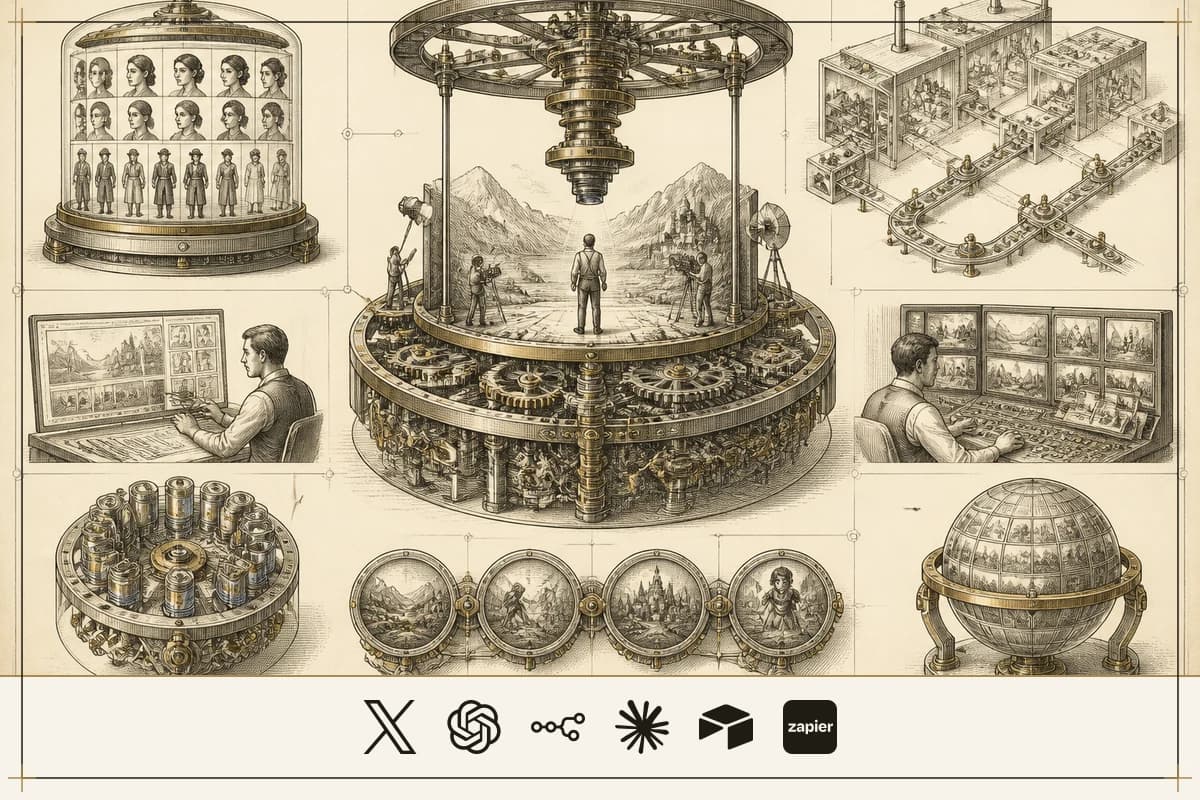
The hardest problem in AI video was never the first shot. It was the second one looking like it belonged in the same movie. A character walks through a door, sits down in the next scene — same face, same shirt, same light — and the model forgets all three. Characters mutate. Lighting drifts. The camera loses its place. You end up holding a stack of gorgeous, unrelated postcards instead of a film.
Somewhere else, a different group of people stopped caring about the perfect shot entirely. They were too busy making five hundred imperfect ones before dinner. While one camp fought to make AI video look like cinema, the other turned it into a factory — 25 hook variations tested by lunch, the winner scaled to every platform by evening, at pennies per clip where a human UGC creator used to cost $150–$500 and three weeks of waiting.
Two camps, opposite goals, one shared realization: the prompt was never the bottleneck. The people shipping in 2026 — cinematic or industrial — aren't lucking into results. They built systems. This is the field guide to both.
CONTENTS
CH.01
Why the prompt was never the bottleneck
The gap between impressive AI video and usable AI video isn't generation quality — it's control. Better prompts don't fix character drift, melting transitions, or a face that changes between cuts. A workflow does. The creators who win treat the model like a cinematographer they're directing, not a slot machine they're feeding.
Two camps emerged from that one insight, and they look like opposites:
| Cinematic camp | Factory camp | |
|---|---|---|
| Optimizes for | consistency, control, craft | volume, speed, test velocity |
| The unit | one shot that belongs in a film | 500 ads that surface a winner |
| Wins when | the work has to hold up on a big screen | unit economics are tested same-day |
| Monetizes via | high-end production, client films, high-ticket trust | direct-response e-commerce, affiliate commissions |
| Lead voices | @AIWarper, @alex_bagnuoli89, @PJaccetturo, @EyeingAI | @georgesttock, @mikefutia, @rgk_degen, @shalevhvs |
Here's the part nobody says out loud: both camps run on the same rails. Lock a character with reference sheets. Design the storyboard before you generate motion. Push a still through GPT Image 2 → Seedance 2.0 or Veo 3. Finish in CapCut. The cinematic camp uses those rails to protect a story; the factory camp uses them to mass-produce ads. The toolchain is shared — covered once, below — and only the goal diverges.
CH.02
What separates cinematic control from "AI slop"?
Four control mechanisms separate cinematic AI video from slop, and they stack. Annotation gives you frame-level precision, storyboarding gives you narrative coherence, hybrid production gives you speed, and integrated editors give you accessibility. Professionals don't pick one — they storyboard for structure, annotate the critical shots, and run a hybrid pipeline for delivery.
| Approach | Creator | What it does | Honest limit |
|---|---|---|---|
| Annotation-based directing | @AIWarper | draw the effect onto the reference image, exactly where you want it | the tool "wants to work" but often needs several passes to get the annotation right |
| Storyboard-to-video | @alex_bagnuoli89 | design the story before any motion (GPT Image 2 → Seedance 2.0) | heavy pre-production; the "zero effort" claim covers generation, not the board |
| Hybrid LED-wall production | @PJaccetturo | real-time capture + cloud sync, concept to final shot the same day | needs AWS-grade infrastructure and real capital |
| CapCut Director Mode | @EyeingAI | idea → script → characters → connected shots → edit, with project memory | "solid quality" means acceptable, not exceptional |
Annotation is the most precise of the four, and the mechanism is worth understanding. Instead of a text prompt the model interprets loosely, you mark the reference image itself — "you can even get the exact effect to occur right where you want it!" The model treats the annotated image as a visual input, not a sentence. It sees the fire circle in the pixel region where you drew it. It reads your arrow as a motion vector anchored to a spot. You've moved from "put fire on the left side of the building" (loose) to "put fire here" (a painted region the model is literally looking at). The principle generalizes: whenever you can replace a text description with a visual constraint, do it. Text is lossy. A drawn circle is not.
@PJaccetturo's hybrid pipeline is the most ambitious — it deletes post-production instead of speeding it up. The steps:
- Load photorealistic digital environments onto LED walls surrounding the stage.
- Capture performances with real-time hybrid performance capture.
- Sync footage to AWS servers within 30 seconds.
- Editors pull 4K HDR footage during filming for immediate VFX feedback.
- Generate and iterate on 3D assets mid-shoot when something needs to change.
- Deliver final pixels as dailies — "from concept to final shot in the same day."
The actors are lit by the environment itself, so the light on their faces is physically correct. This isn't a green screen; it's a different relationship between capture and output, collapsing a normally 9-month post process into same-day delivery. The camera becomes a live instrument, not a post-production decision.
Then there's the iteration loop, where these methods actually save you. @EyeingAI names the economic problem: "Seedance 2.0 Mini inside CapCut... gives you faster generations, lower cost and solid quality, so you can keep experimenting without every retry feeling expensive." Sketch in the cheap model, ink in the full one. @AIWarper closes the loop a different way — he hands his video prompt to an LLM and asks for the change in plain English ("here I asked for zoom in/out transitions"). The caveat is honest: "LLMs sometimes over-correct or follow instructions too literally, potentially losing creativity." Use it for mechanical moves; write the creative prompts yourself. The through-line across all of them: the shorter your feedback loop, the less drift accumulates across the sequence.
CH.03
How do you lock a character across shots?
Consistency is reference specificity multiplied by generation control — not model quality alone. The single move that fixes most character drift: separate identity from layout. Cram "a blonde woman in a blue dress sitting left of a tall man in black" into one prompt and the model compromises on both the people and the geometry. Give it a character sheet for each person plus an annotated image of where they sit, and each input does one job.
That's exactly @AIWarper's multi-reference method: "Here I provided my 4 character reference sheets + the annotated image seen below for seating arrangements. Worked like a charm." Four sheets tell the model who. The annotation tells it where. The prompt no longer carries both burdens.
The approaches split into two honest tiers:
- Single-reference replacement — the fast path. Seedance can swap an existing character in a shot using one reference image. "While not exactly 1:1, Seedance does a very convincing job." It'll miss some details from the original, but for dropping a specific face into a scene, it's one step.
- Multi-sheet world-building — where the real power is. @alex_bagnuoli89 extends it: generate a character sheet with GPT Image 2, then feed it plus a video reference into Pollo AI on the HappyHorse 1.0 model. For food — a notoriously hard consistency domain — he runs DZINE with "model reference, 8-shot storyboard, direction prompts, visual continuity settings, food styling parameters, and finally video generation." @EyeingAI abstracts the whole thing into a consumer flow: "Build consistent characters + scenes → Generate connected shots → Put the whole edit together → Keep refining it as you go."
The factory camp arrived at the same crux from the other direction — and added a counterintuitive twist. Don't chase photorealism. Chase recognizability. The faces that bypass the uncanny valley aren't the perfect ones; they're the slightly messy ones: "Low-definition front-facing shots, indoor mixed light, slightly oily skin, messy hair." That sheen of perfection — the AI-plastic look — is the tell. Your character should look filmed on an iPhone, not rendered in Unreal Engine. The anchor detail matters too: the "tiny mole above her lip" from the Mia case isn't random — it gives the model a fixed point to hold across hundreds of generations. Nano Banana's edge here is editing, not just generation — built on Gemini Flash architecture, it lets you change one element of an existing image without regenerating the whole thing, which is how consistency survives across a batch.
The avatar-factory version of character creation is a tight, repeatable sequence: Two Pinterest face references at opposite ends of your target aesthetic, fed to ChatGPT to synthesize one character prompt, gives you an anchor you can reuse forever.
CH.04
Directing the camera: prompts as production design
The difference between an amateur and a professional AI filmmaker is that the amateur types a paragraph and hits generate — the professional structures parameters as data. Two schools do this: director-style prompting and structured JSON control.
@alex_bagnuoli89's director-style prompts read like a shot list, not a wish. The structure to copy:
- Shot-by-shot actions — not "a cool commercial."
- Lighting per shot — "rembrandt lighting, key light 45° left," not "cinematic lighting."
- Motion per shot — "slow dolly in, 0.5m over 3 seconds, ease-out," not "dynamic camera."
- Style and constraints — "anamorphic lens, slight barrel distortion, grain matched to 35mm Kodak 500T."
- Sync point — the visual rhythm tied explicitly to the voice-over timing.
His worked example was a 3-shot cinematic prompt synced to voice-over, run in Seedance 2.0 on OpenArt — a zero-budget, zero-footage commercial that looks intentional because every degree of freedom was constrained. A concrete shape of that template:
For complex narrative work he uses multi-board reference systems — three boards built in GPT Image 2, each fed to Seedance 2.0 with explicit image references: "Use IMG_1 to develop 'Little Fart' as the main character... Use IMG_2 to construct a narrative sequence... Use IMG_3 to visualise catastrophic events." The CREATURE board alone defined silhouette, facial expressions, proportions, fur texture, scale, heroic poses, and moments of vulnerability. That's not prompting. That's production design — building a reference library, annotating relationships, structuring parameters as data, and only then asking the model to render. His "luxury brand filmmaking" JSON (camera tilt, lighting, motion easing, mood, executed with "realistic physics") is "ideal for... without 3D software or studio time" — which also means you trade away the fine control of traditional CGI, and some models will override your structured fields with their own biases.
This is the place to settle one rule both camps repeat: design the story before you generate the motion. Without a storyboard you're asking the model to invent the narrative and the pixels at once — "prompting and praying." With one, the narrative is solved and the model spends its whole capacity rendering motion that respects a pre-established logic. It's the single highest-impact step in either camp.
CH.05
How do you build a factory that ships 500 ads a day?
A content factory treats output as a numbers game: generate volume, test fast, kill losers, scale winners. You don't need one perfect ad. You need 25 hook variations fighting each other by afternoon, the winner on every platform by evening. The old UGC cycle — find creators, ship product, wait weeks, $150–$500 per usable ad — collapses to minutes and pennies.
Four operating models have moved past experiment into revenue:
| Model | Creator | Engine | Documented result (self-reported) |
|---|---|---|---|
| High-volume ad factory | @georgesttock | Claude + GPT Image 2 + Seedance 2.0 + MakeUGC | 100 ad variations in 10 minutes; 500+ ads/day; 550+ World Cup variants/day on Claude 3.5 |
| Product-to-video pipeline | @mikefutia | n8n + Nano Banana + Veo 3 (+ Sora 2) | 20–50 variations per product image, auto-stored in Box |
| AI-influencer affiliate | @rgk_degen | ChatGPT + Kling 2.6 + CapCut, TikTok Shop link in bio | $8,400/mo on leggings, 4 videos/day, under $40/mo cost |
| High-ticket AI influencer | @shalevhvs | HeyGen / Veo 3 / Kling, posted 3× daily | $8,000 from "someone who doesn't exist" — two sales at $4,000 |
The engine room is @georgesttock's Claude→MakeUGC automation, which pumps 100 variations in 10 minutes — not manual prompting but loop engineering: generate, score against heuristics, iterate until the batch is done. @mikefutia's version is tighter on infrastructure — a single n8n form trigger fans one product image into 20–50 Nano Banana variations, each into Veo 3, all auto-filed in Box: "Costs pennies per generate and you own 100% of the content forever." He runs a Sora 2 variant for watermark-free HD UGC (unboxings, demos, lifestyle) and a Nano Banana + OpenAI Vision + n8n stack that analyzes one product image and generates 50, 100, 1000+ custom image prompts in bulk.
The actual production line, end to end:
- Character lock — the character-sheet method (see the chapter above). This is where most people fail; they generate a new face every time and ship a parade of strangers.
- Script at scale — an n8n schedule trigger plus an LLM node generates 25+ hook variations per product. The video doesn't die in the middle; it dies in the first two seconds, so the hooks are the test surface. Each hook becomes a 15-second script: , stored in Airtable tagged by hook type, product, and platform. Cost discipline matters at volume:
- Visual production — tool roles are not interchangeable. Nano Banana for image generation and single-element editing (the "single AI tab" flow: product photo → prompt → 3×3 storyboard → video). Veo 3 for hero ads where cinematic fidelity makes a $26 pet carrier read like a $50,000 commercial. Seedance 2.0 as the workhorse for character-consistent motion and one-reference character replacement. Kling 2.6 as the iteration engine when you need 25 variants of a 5-second opening and speed beats polish.
- Kill the AI smell — covered next.
- Orchestrate — Apify scrapes trending posts; OpenAI filters and tags; n8n calls image → video → ElevenLabs → CapCut; platform APIs publish. A self-hosted n8n on a $5/month VPS replaces the ~$20K/year Zapier would cost at this volume, dropping marginal cost to API fees.
Why "500/day" is real has nothing to do with faster generation — it's parallelization and state. 50 product images queue at once; each fans out to 10 Nano Banana variations in parallel; each of the 500 images fans out to Seedance/Veo with rate limiting; every finished video is checkpointed with metadata (source product, parameters, timestamp); a separate process scores completed clips and flags winners; winning prompts feed back into the template. That's the loop the infrastructure people describe: "A schedule decides what to run, a loop is the maker that produces the work, a separate checker agent grades the output, a file on disk holds the state they both read." The factory is not a prompt. It's a system with feedback loops.
CH.06
Killing the "AI smell"
Raw AI video still has a look, and the operators who win are the ones who strip it out. Counterintuitively, the goal is to make the clip look worse — like a casual snapshot from a phone album, not a retouched render. Too clean reads as AI. Slightly careless reads as authentic.
The post pass, in order:
- Voice first. Run everything through ElevenLabs for voiceover, music bed, and emotional direction. The voice carries authenticity more than the visuals do — its emotional range is now enough for UGC if you direct it.
- De-plastic in CapCut. Add film grain, slightly desaturate, add natural lens distortion, overlay ambient sound. This is where the AI sheen comes off.
- Messy captions. Not the clean centered captions AI defaults to — the dynamic, slightly chaotic captions native TikTok creators use. A small detail that disproportionately changes whether content reads as real.
This is the production side of the same recognizability principle from character locking: imperfection is the signal. Strip the perfection, keep the mole.
CH.07
Which tools should you actually use?
There is no single best generator — only the right tool for the specific job. Here's the merged stack across both camps, deduped:
| Job | Primary | Alternatives | Why |
|---|---|---|---|
| Creative direction / prompts | Claude (Opus or Haiku) | GPT-5.5 | Haiku for volume, Opus for anchor pieces |
| Static images + editing | Nano Banana / Nano Banana Pro | GPT Image 2, Midjourney | Nano Banana edits without regenerating; GPT Image 2 for photorealism |
| Video — product motion | Seedance 2.0, Veo 3 | Kling 2.6, Sora 2 | Seedance/Veo for product realism; Sora 2 for watermark-free HD UGC |
| Video — character / avatar | Kling 2.6 | Seedance 2.0 | Kling for avatar speed + lip-sync |
| Niche image→video pipelines | Pollo AI (HappyHorse 1.0), DZINE | ImagineArt_X, Dreamina (Octo) | character / food / teaser-specific reference flows |
| Orchestration | n8n (self-hosted) | Make, Zapier | self-host on a $5/mo VPS; ~$20K/yr saved vs Zapier at volume |
| Storage | Box, Google Drive | Airtable | Box for storage; Airtable for DB-linked workflows |
| Finishing / AI-smell removal | CapCut | Descript, Premiere | grain, desaturation, dynamic captions |
| Voice / audio | ElevenLabs | OpenAI TTS | emotional range; voice > visuals for authenticity |
| Talking-head avatars | HeyGen | Veo 3, Kling | simple character-to-camera videos at frequency |
| Scraping | Apify | — | pull trending posts and product data |
| Analytics | Native (Meta Ads, TikTok) | n8n + Google Sheets | native for accuracy; custom for cross-platform |
The deepest truth under the whole table is one @AIWarper hints at: "The tool 'wants to work.'" These models aren't adversaries — they're probability engines producing the most likely output for their training data. Your job is to reshape that distribution so the most likely output is also the one that serves your story. Annotation, reference sheets, storyboards, structured JSON, and project memory don't guarantee the right result. They make it more probable.
CH.08
Quality vs. quantity — and who's actually right
Both camps are right, for different phases and different monetization models — and anyone selling you a universal answer is wrong. The corpus holds a genuine tension, not a winner.
The quantity advocates (@georgesttock, @mikefutia): in performance marketing, creative fatigue is the enemy and a flood of fresh creative is the only defense. The quality advocates (@shalevhvs, and @willyhopps "riding the middle line between tech and craft"): the algorithm eventually rewards retention and trust, not novelty. @shalevhvs puts the stake plainly — "Everyone's out here selling $19 ebooks and supplements with AI thinking that's the ceiling" — and clears it with two $4,000 sales from a person who doesn't exist, built on simple talking-to-camera videos posted 3× daily through the "posting into the void" phase.
The resolution: quantity wins direct-response e-commerce, where cost-per-acquisition is tested immediately; quality wins high-ticket, where trust accumulates into conversion. @rgk_degen sits in the middle — volume for affiliate commissions, but with enough character consistency to build a pseudo-relationship. The tool "disagreement" (Seedance/Veo vs Kling) dissolves the same way: right tool per output, not one best generator.
One more fork, sharper because it carries account risk: should you reveal the influencer is AI? One view says reveal later for a "secondary spike in engagement" — the reveal becomes content. The counter is platform risk: TikTok, Instagram, and YouTube are all tightening AI-disclosure policy, and a reveal that goes viral wrong can get you demonetized or banned. Judgment: disclose early if you're building a long-term asset (position it as "AI-enhanced," not "AI-faked"); conceal only if you're running a short arbitrage play and are prepared to lose the account.
CH.09
What nobody promises you
The production gains are real. The revenue screenshots are not audited. Every dollar figure here — $8,400/month, $3,000 from TikTok affiliate, $147,009 in 60 days, $8,000 from someone who doesn't exist — is self-reported, not verified. "500 ads/day" is a production metric, not a profitability one. Treat them as creator claims, because that's what they are.
The honest limits, stated flat:
- Human judgment doesn't leave. Sources note the need to strip "corny claude lingo" and grind through the 200–300-view "posting into the void" stretch (the first 30 days). The factory automates production, not strategy.
- Platform risk is real and rising. YouTube already demonetizes channels it reads as "repetitive, low-effort content"; faceless channels are the most exposed. The ad-factory model is more resilient because you produce for clients, not for one platform-dependent account.
- The AI-plastic look isn't fully solved. CapCut helps, but pixel-peepers still catch facial micro-expressions and hand movement. The model works because it optimizes for the 95% scrolling at 2× speed, not the 5% inspecting frames.
- Nothing runs unattended forever. API changes, model updates, and policy shifts all demand ongoing attention. There's no set-and-forget.
The ethical line is also the durable business line: brands paying premium for AI UGC want disclosure, not deception. Position as an AI content studio delivering AI efficiency with human-directed authenticity — not as someone faking humans.
CH.10
Your action plan (and how to verify it worked)
Pick your track first — everything downstream depends on it. If average order value is under $100 and you need volume, you're a factory (direct-response). If AOV is $50–$200 and you need reach, you're an affiliate avatar play. If AOV is $1,000+ and you need trust, you're high-ticket. Write down your target acquisition cost before you generate a single frame.
Shared foundation (Day 1):
- Character lock — generate 4–6 reference images in GPT Image 2; vary angle, expression, and lighting but keep core features identical. The sheet is your source of truth — don't define the character in the video prompt alone.
- Storyboard first — GPT Image 2, "create a 4×4 storyboard, 16 frames, for [scene]," with shot types and emotional beats. Solve the narrative before the video model has to.
- Test generation — feed storyboard + references into Seedance 2.0 (via OpenArt or CapCut). Iterate on the references, not the prompt.
Cinematic track (Days 2–3): annotate critical frames the @AIWarper way (mark effects and positions directly on the image); build a director-style prompt template ([shot] [camera move] [action] [lighting] [mood] [constraints]); use JSON inputs if your tool supports them; document color palette, lighting direction, and lens as continuity constraints fed into every generation.
Factory track (Days 2–7): stand up self-hosted n8n on a $5/mo VPS with a form trigger → storage (verify a test image lands within 30 seconds); wire your image generator (run 10 products → 50 outputs → target 80%+ usable without intervention); add video generation (20 clips → target 70%+ usable); build the distribution layer (one image → 5 image + 5 video outputs in your destination within 15 minutes); add evaluation/iteration logic; then scale to 100 assets in a day and measure cost per usable asset.
How you know it worked:
- Character consistency — overlay your reference sheet on each frame at 50% opacity; features, clothing, and proportions should align across 5+ shots with no morphing.
- Temporal stability — play the sequence at 2× speed; motion errors (floating, disappearing objects, lighting jumps) become obvious there. Smooth at 2× means right at normal speed.
- JSON check — generate two clips identical except one field (
camera_tilt: 15vs0); if the output difference matches the parameter difference, your structured layer is respected. - Factory economics — measure cost per usable asset and time saved. If you miss them, the bottleneck is almost always orchestration, not generation — fix it at the loop, not the tools.
The creators shipping cinematic AI video aren't waiting for better models, and the ones running factories aren't either. Both stopped asking "is it good enough yet?" and started building better interfaces between their intent and the machine's output. The wish is free. The architecture costs effort. The architecture is the only part that works.
No comments yet — start the conversation.
Sign in to join the discussion — it's free.